
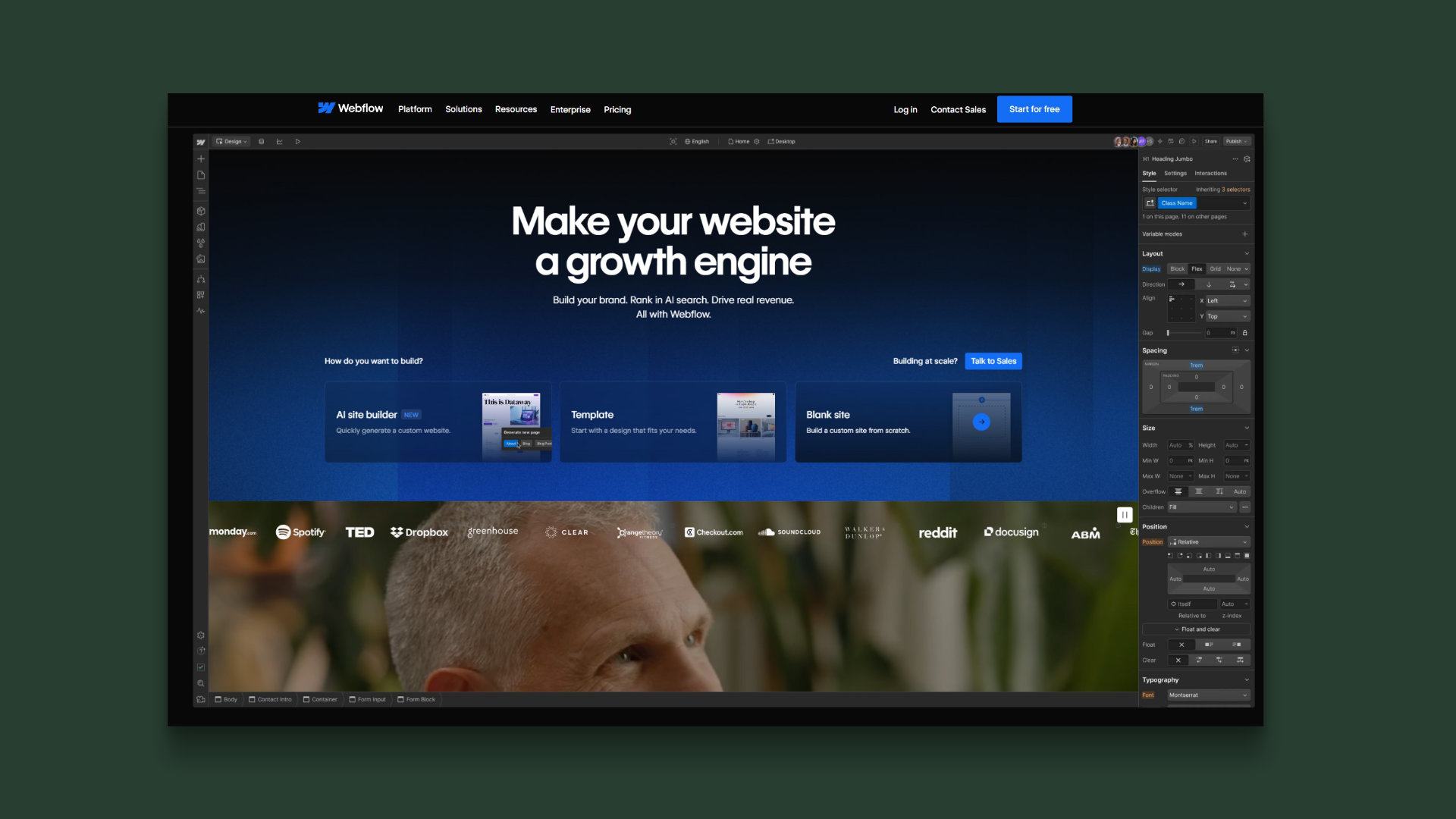
Choosing the right platform for your website is a very important decision, as it can affect how your website looks and operates. As a forward-thinking creative agency in 2026, we've worked extensively with both Webflow and WordPress at Haddington & Haddington. For us, Webflow is the clear winner. Plus, according to a 2024 WordPress user survey, there's growing concern over WordPress's sluggish pace and functionality, as well as the platform offering 'far too many plug-ins'.
In this article, we break down exactly why Webflow consistently outperforms WordPress for modern, design-led websites, and why we continue to advise our clients to make the switch to Webflow.
What is Webflow?
Webflow is a website building platform that allows you to design and build fully personalised websites visually, without the hassle of needing to write code (commonly referred to as a no-code platform). It combines the creative freedom of design tools like Figma (which we use for wireframing), with the power of clean code that's ready to go. That means sites are developed quicker, with better performance. With Webflow, you have complete control over how your site looks and works.
Webflow is a more modern platform in the website development scene. As an agency, we like to keep ahead of the curve with the latest tech, and if we see a tool that does something better than its predecessors, we're likely to adopt it. Webflow is a closed-source system, which means that the source code (the behind-the-scenes language that tells a website how to look and behave), isn’t publicly available. Access to this is instead given through licensing, which depends on a subscription model and which tier of it you have access to.
Webflow first came onto the scene in 2012. In that time, it's earned a great reputation among web designers and UX/UI professionals for its creative capabilities, user-friendly interface and design-first approach. This makes it a common choice for agencies, freelance designers and companies of all sizes.
What is WordPress?
WordPress has been around since 2003, and is one of the most well-known platforms for building websites. It actually started out as a blogging tool, but over the years, it’s grown into a popular choice for all kinds of websites – from personal blogs, to business sites and even large-scale corporate platforms.
One of the key things that makes WordPress unique is that it’s 'open-source'. That means the code behind it is freely available for anyone to use, modify, or expand on. This makes it appealing to developers and tech-savvy users who want control over every detail. However, while the software itself is free, you still need to pay for things like hosting, premium themes, plug-ins, and sometimes developer help to get your site fully set up and running smoothly.
WordPress is often praised for being user-friendly, which is part of why it’s become so widely used. People who aren’t developers can still log in, update content, add pages, and install plug-ins to expand their site’s functionality. That said, the experience can vary depending on how complex your site is. The more features you have, the more technical it can become behind the scenes.
Another argument we hear is that WordPress must be the best platform because everyone uses it. By that logic, spam emails are the gold standard.
Design-focus
Webflow’s Designer gives us the freedom to create whatever we want. For design professionals, it feels like working in a design tool. Beneath all of this, clean code is being generated in real time. One of the main problems we find with many websites we audit is heaps of unnecessary and clunky code being generated by WordPress. Webflow lets you drag-and-drop elements, tweak spacing and build pixel-perfect layouts with intuitive control over Flexbox and CSS Grid, making designing for mobile and different devices really straightforward. This is a huge step up from template-based systems or bulky page builders, and it’s why our agency can prototype concepts faster and more accurately.
Better functionality
Webflow's CMS lets us build content sections in websites like case studies, portfolios and news feeds without plug-ins or complex setups. When you want more advanced functionality on a website like animations, third-party integrations or tracking scripts, you can insert custom JavaScript or connect to APIs, without weighing things down (which happens frequently in WordPress). This means you’re adding exactly what you need, and nothing more. It keeps your site lightweight, fast, and easier to maintain.
With WordPress, adding features often means installing plug-ins. And oh boy, is WordPress famous for offering too many Plug-ins. Plug-ins are small software packages that extend functionality (like contact forms, sliders, SEO tools, etc.). On the surface, they're convenient. But many plug-ins come with excess code, scripts, or styles that run whether you use them on every page or not. The trustworthiness of third-party developers who own plug-ins is also a concern. What do you do if a plug-in on your website is abandoned and not updated?
Over time, as more plug-ins are added, this can lead to:
- Slower load times because of excessive or duplicated code.
- Conflicts between plug-ins, which can break features or crash a site.
- Harder troubleshooting since you're relying on many different third-party developers.
What happens as a result is called 'code bloat' – when a website has more code than it really needs to function properly. It’s not always obvious, but it can impact performance, SEO rankings and user experience. In contrast, Webflow keeps code to a minimum, keeping the experience clean and efficient.
SEO
Yoast is a popular third-party SEO plug-in for WordPress that helps users optimise their website content to rank better in search engines like Google. It's highly popular, and grew in popularity around the same time as WordPress itself. There's a belief that other SEO tools aren't as good, which isn't true. Webflow allows easy editing of meta titles and descriptions, sitemap generation, 301 redirects, canonical tagging, alt text, and even schema markup. When more advanced optimisations are needed, the Webflow Marketplace offers SEO apps for analytics and keyword insights that are just as good as Yoast. With AI on the scene nowadays, there's also plenty of AI-powered tools delivering good results for SEO.
Pricing
This is one of the major reasons why we offer Webflow sites to our clients. They're generally just much more affordable, with better functionality. Webflow’s pricing is transparent and all-inclusive. You'll get hosting, SSL, CDN, backups and updates all rolled into the same plan. Basic Site plans start around $14/month, with higher-tier or enterprise plans that include advanced features like SSO, staging and higher traffic limits. WordPress may seem free initially, but costs add up through hosting fees, premium plug-ins, themes and developer time to manage updates and security. With Webflow, you get a stable, unified system with predictable monthly costs, which many business owners find helpful in managing budgets more easily.
Security and WordPress legal issues
WordPress websites are being hacked more often, mostly because of security flaws in plug-ins (the small add-ons people install to add features like calendars, contact forms, or payment systems). A specific example is the Eventin plugin, which had a serious bug that let hackers break into websites and create admin accounts without needing a password. This meant attackers could fully control the site.
The problem isn’t just with one plug-in though. Many popular plug-ins have had dangerous flaws, and because WordPress powers over 40% of websites worldwide, it’s a big target for hackers. They often scan the internet looking for WordPress sites with known issues. Many website owners don’t regularly update their plug-ins or software, which makes things worse. Keeping everything updated is essential – but can be hard to manage.
In late 2024, a major legal fight broke out between WordPress’s parent company, Automattic, and WP Engine, one of the biggest WordPress hosting providers. The issue was over trademarks. Automattic claims WP Engine uses the WordPress name in its marketing to help sell its products, and should pay to do so. WP Engine argues this demand is unfair and has taken Automattic and WordPress founder Matt Mullenweg to court, accusing them of extortion, libel, and damaging their business. WP Engine says the legal threats have caused a spike in customer cancellations and are scaring away new clients.
This dispute highlights some of the legal risks of using WordPress. While WordPress is open source and widely used, the legal ownership of its name and trademarks is tightly controlled. That means companies building businesses around WordPress can suddenly face legal or financial threats, even after years of operating. It's a reminder that open-source doesn’t always mean open relationships either, and that relying on multiple third-party tools and providers can come with unexpected challenges. Many WordPress plugins are made by independent developers or small companies. These developers often don’t have formal contracts or clear liability when their code causes harm. So if a business’s website is hacked through a plug-in, it’s unclear who should take responsibility – the plug-in maker, the site owner, or someone else.
Platforms may need to introduce stronger legal frameworks or accountability standards – something that hosted, closed systems like Webflow already manage more tightly.
Cheap AI website builders
With the huge global drive of AI comes even more cheap solutions that help drive creatives out of jobs. This time, the industry is gunning for web designers and developers. The tech industry is trying to convince people that using an AI website builder will somehow be better than the human touch. There are several problems with this that keep us sticking to Webflow as an agency, and recommending it to our clients for the best results.
Firstly, if you're up for a completely soulless website that has absolutely no discernable or unique features, then an AI web builder is the right choice for you. These website builders can quickly churn out templates, text, images and other basic website essentials really quickly (which sounds great), but in reality, you'll never be able to customise your site. Forget about fiddling around with font choices, colours, spacing, or positioning site elements exactly how you want them. Forget any other details that make the site interesting. Templates don't care – you're stuck with what they give you. You'll then likely have to use other website tools to 'clean up' what you've built. Because AI models take their designs from the same sources, you'll also risk your website looking like everyone else's. Yikes.
If that wasn't enough, AI can hallucinate, make bold claims that aren't true, and the content that generates your site will likely be awful, stale, and harvested from somewhere else that shares the exact same message. Believe it or not, Google actually dislikes AI-generated content, so if Google or your customers even get a slight whiff that you've produced your site using an AI – it can hurt your brand and your chances of ranking well.
The takeaway
While WordPress still has its place, especially for specific content-heavy projects, it often comes with added complexity, plug-in dependency and hidden costs. Recent legal issues in relation to plug-ins and potential website hacking also cause concern. In our opinion, it's had its day.
AI website builders are another option – and can be a great solution for those who are just starting out on their business journey without the financial means to put anything but a couple of hundred pounds into a website. But that should be where it ends. Just use them as a spring board to something better when you have the money to invest in an actual human building your website.
In 2026, Webflow continues to stand out as the smarter, more streamlined alternative to WordPress and other cheaper platforms – especially for creative agencies. Its visual design tools offer unmatched flexibility without the need for clunky themes or plug-ins. Functionality is built in, meaning faster builds and easier maintenance.


